What Is Planfit App Review About?
Planfit App Review is our deep dive into Planfit, an AI-powered personal trainer app (and workout planner) designed to take the guesswork out of your workouts. Instead of scrolling endless templates or copying a stranger’s gym plan, you answer a few questions and let the Planfit AI Personal Trainer do the heavy lifting on the planning side. The result is a tailored routine that fits your goals, schedule, and equipment, whether you train at home or in a full gym.
The Planfit Personal Trainer App combines smart workout planning with tracking, habit building, and real-time coaching features in select tiers. You’ll see clear exercise videos, recommended sets, reps, and weights, plus guidance from the Planfit AI coach “Max.” In this Planfit App Review, we’ll walk through how it works, how to get started, how it compares with Athletica.ai, Flex AI, Volt Athletics, and BodBot, and who this AI workout planner is really best for.
How Planfit App Works
Planfit App Review focuses on how Planfit turns a few simple inputs into a complete AI-guided training system. When you sign up, you tell the app about your current level, goals (like fat loss, muscle gain, or general fitness, and what gear you have access to. Planfit then pulls from a huge workout dataset to generate a personalized training plan that automatically adapts as you log sessions and progress.
During workouts, Planfit acts as an AI Workout Planner and AI personal trainer in your pocket. The free tier gives you intelligent workout programming, exercise guidance, gym logging, and an AI equipment guide, while premium adds real-time voice coaching, deeper recovery tracking, and more advanced analytics. The Planfit Workout Planner continuously tweaks exercises, loads, and rest periods so you’re not stuck repeating the same boring routine or wondering what to do next.
Planfit App Review – Key Features
- AI-generated workout plans tailored to goals, level, and equipment.
- Smart exercise tracker and gym log with progress history.
- AI-powered machine and equipment guide for gym beginners.
- AI coach “Max” for on-demand training and basic nutrition questions.
- Real-time AI coaching with rep counting and rest timing in premium.
- Muscle recovery tracking across multiple muscle groups.
- Community features like clubs, leaderboards, and workout sharing.
- Support for home, gym, and minimal-equipment training setups.
How To Get Started With Planfit App
Getting started with Planfit App is refreshingly straightforward. Mr. Healthy would call it “beginner-proof,” and Ms. Exercise would add that it’s perfect if you’re tired of complicated spreadsheets. You download the Planfit App, answer a guided setup quiz, and your Planfit AI Personal Trainer builds a full routine around your schedule and available equipment. There’s no need to design your own split or debate which exercise hits which muscle; the app takes care of that.
- Download the Planfit App from your preferred app store.
- Sign up with email, Apple, or Google as prompted.
- Answer questions about your current fitness level and experience.
- Select your primary goal (strength, muscle, fat loss, general fitness, etc..
- Tell Planfit what equipment you have (full gym, dumbbells, bands, or bodyweight only.
- Set your preferred training days and session length.
- Generate your first AI workout plan and start your first session.
Starting A Premium Free Trial (Optional
- From within the app, navigate to the premium or upgrade section.
- Review the premium features, including real-time AI coaching and advanced analytics.
- Start the 7-day free trial through your app store to unlock premium features.
- Test voice coaching, detailed recovery tracking, and performance insights during your regular workouts.
- Decide before the trial ends whether to keep the subscription active.
Once you’ve run through a week or two of training, Planfit App really comes alive. The Planfit Workout Planner uses your logged performance and workout history to adjust weight suggestions, exercise selection, and recovery. Over time, this feels less like following a static program and more like working with a coach who remembers every set you’ve done. If you ever fall off track, the Planfit AI Personal Trainer recalculates, so you can pick up again without starting from scratch.
Planfit App Vs. Other Similar Brands
AI workouts have exploded in the last few years, and there are now dozens of “smart” fitness apps promising personalized training. In this space you’ll find endurance-focused tools like Athletica.ai, strength-oriented gym apps like Volt Athletics, flexible freemium tools such as BodBot, and newer entrants like Flex AI. Each one tackles the AI personal trainer idea slightly differently, with its own mix of coaching depth, sport focus, and pricing.
Planfit App stands out because Planfit prioritizes fully adaptive strength and general fitness training with a genuinely usable free tier. Where many AI workout planners lock real personalization behind a paywall, Planfit’s core workout engine, exercise guidance, and equipment-aware planning are free to use, with optional upgrades for advanced users. That makes Planfit particularly appealing if you’re curious about AI training but not ready to commit to a paid plan on day one.
| Name | Focus | Pricing | Best For |
|---|---|---|---|
| Planfit | Gym and home strength | $0.00 core, premium extra | Beginners to intermediates |
| Athletica.ai | Endurance sports plans | $19.90/month subscription | Runners and triathletes |
| Volt Athletics | Athletic strength programs | $19.99/month individual | Athletes and teams |
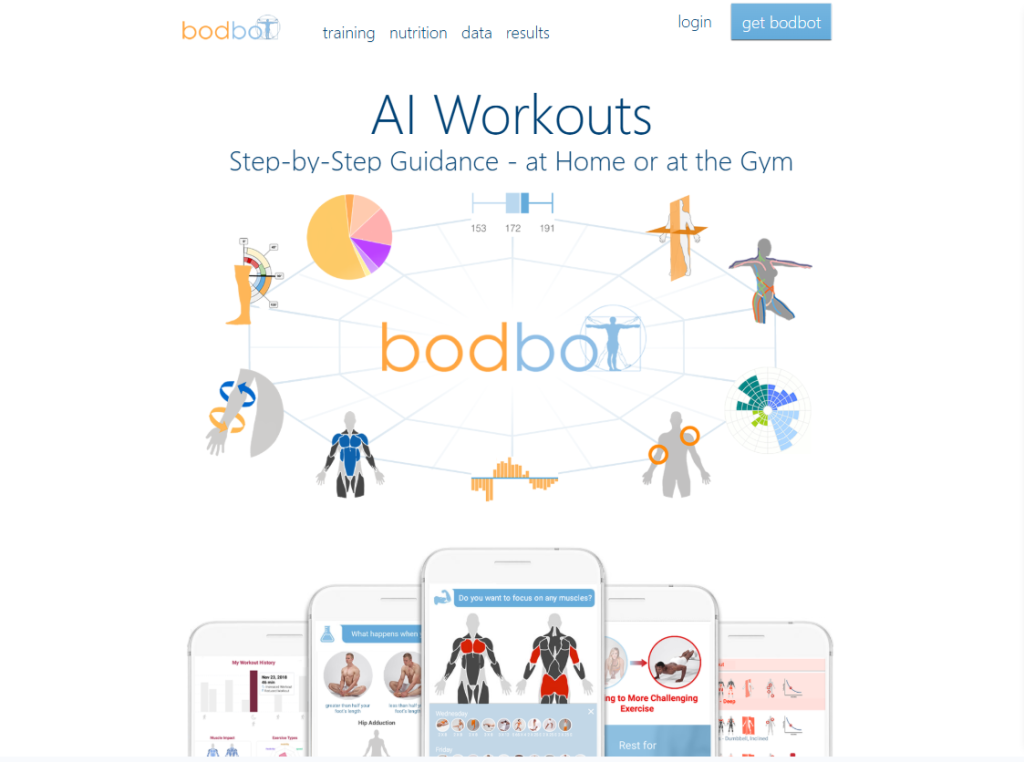
| BodBot | General AI training | $19.99/month premium | Freemium-minded gym users |
Planfit App Review – Summary
Planfit App Review highlights a key difference: Planfit aims to give you a true AI personal trainer experience in a free app, then layer premium analytics and real-time coaching on top for those who want more. Athletica.ai is outstanding if you’re training for a marathon or triathlon, but it’s built around structured endurance plans rather than general gym strength. Volt Athletics shines for athletes and teams with periodized programs but expects a paid subscription from the start. BodBot offers a flexible freemium model, yet its more advanced capabilities live behind a monthly fee similar to Volt.
If your primary goal is to lift smarter, build muscle, and get fitter without committing to a high monthly cost, Planfit often delivers the best balance. The Planfit Personal Trainer App adapts intelligently to your equipment and performance, supports both home and gym training, and keeps the barrier to entry low with a robust free tier.
Planfit App Cost
Planfit App Review finds that Planfit uses a freemium model: a powerful free tier with optional premium subscriptions that unlock additional coaching and analytics. Pricing for premium is billed through the App Store or Google Play and can vary slightly by country, currency, and local taxes.
Planfit App Review – Pricing Overview
The free version of the Planfit App includes personalized AI-generated workout plans, exercise tracking, an AI equipment guide, AI coach Q&A for training and calories, and access to the community. In other words, you can follow structured, adaptive AI workouts indefinitely without paying.
Premium subscriptions add features like real-time voice coaching that counts reps and times rest periods, richer recovery tracking, and more advanced exercise insights. Exact prices are displayed in-app in your local currency, but they generally sit in the same ballpark as other AI workout apps, which often fall somewhere under about $15–$20 USD per month when billed monthly. Always check inside the Planfit App for the latest pricing in your region.
- Core AI workout planning and tracking free for life.
- Premium subscription with 7-day free trial for new users.
- Premium billed via App Store/Google Play in local currency.
- Upgraded features aimed at users who want deeper coaching and analytics.
Deals & Discounts
Planfit occasionally offers promotions through app stores or special campaigns, and pricing can shift slightly over time with regional adjustments. Like many fitness apps, you may see time-limited offers or savings tied to longer subscription terms compared with paying month to month.
- 7-day free premium trial for new subscribers so you can test advanced features.
- Occasional app-store promotions or discounts depending on region.
- Potential savings when choosing longer subscription periods (where available.
- Student or family-oriented offers referenced in Planfit’s own materials may appear seasonally.
Pros & Cons
Pros
✅ Strong free tier with full AI workout planning and tracking.
✅ Equipment-aware plans that work for home, gym, or minimal gear.
✅ Real-time AI coaching and recovery tracking available for power users.
✅ Clean, beginner-friendly experience that still scales to intermediate lifters.
Cons
❌ Some advanced analytics and coaching tools require a premium subscription.
❌ Occasional app crashes or minor bugs reported by users, especially on Android.
❌ Nutrition tracking is limited; serious macro tracking still requires another app.
Final Verdict: Is Planfit App Review Worth It?
Planfit App Review finds that Planfit is absolutely worth trying if you want AI workouts without immediate subscription pressure. The Planfit App delivers a legitimate AI personal trainer experience for free, with adaptive planning, progress-aware recommendations, and clear exercise guidance. Premium adds real-time voice coaching and richer analytics, but most casual lifters can make solid progress on the free tier alone. If you value smart programming, convenience, and flexibility across home and gym training, Planfit is one of the strongest options in the current AI workout landscape.
Best For
- Beginners who want a simple, guided way into strength training.
- Busy people who need quick, equipment-aware workouts at home or in the gym.
- Intermediate lifters who want progressive AI programming without hiring a coach.
- Budget-conscious users looking for a strong free AI Workout Planner.
Not Ideal For
- Advanced strength athletes who need highly specialized programming and periodization.
- Endurance-only athletes who’d be better served by tools like Athletica.ai.
- Users who want deep built-in nutrition, macro tracking, and meal planning.
- People who strongly prefer human accountability from a live coach or trainer.
Fun Fact
Planfit’s AI is trained on millions of recorded workouts and analyzes recovery across numerous muscle groups, effectively giving gym beginners access to a data-backed coaching engine that used to be reserved for serious athletes.
Planfit App Review – Conclusion
Planfit App Review shows that Planfit manages a rare balance: approachable enough for complete beginners, yet smart enough to keep you progressing well past your first few months in the gym. If you’re comparing options like Flex AI, Volt Athletics, Athletica.ai, and BodBot, Planfit’s combination of a robust free tier, adaptive gym and home plans, and optional premium coaching makes it one of the easiest AI workout apps to recommend. Download it, run through a few weeks of sessions, and let the results—and how much simpler training feels—guide your decision.
Planfit App Frequently Asked Questions – FAQs
1. What Is Planfit App Review All About?
Planfit App Review is our in-depth look at Planfit, an AI-powered personal trainer app that designs and adapts workouts based on your goals, fitness level, and available equipment, both at home and in the gym.
2. How Does The Planfit App Actually Work?
The Planfit App asks about your goals, experience, and equipment, then generates a personalized program. As you log workouts, its AI updates sets, reps, exercises, and rest times to keep you progressing over time.
3. Is Planfit Really Free To Use?
Yes. Planfit offers a permanent free tier with full AI workout planning, basic tracking, equipment guidance, and community access. Premium subscriptions are optional and unlock real-time voice coaching and deeper analytics.
4. What Extra Do You Get With Planfit Premium?
Planfit Premium adds real-time AI voice coaching that counts reps and times rest, more detailed performance and recovery insights, and advanced tracker features. You also get a 7-day free trial to test these tools.
5. Who Is Planfit Best Suited For?
Planfit works best for beginners and intermediate lifters who want structured strength or general fitness training, either at home or in a gym. It’s ideal if you prefer guided plans over designing your own.
6. How Does Planfit Compare To Athletica.ai Or Volt Athletics?
Athletica.ai focuses on endurance sports like running and triathlon with paid subscriptions, while Volt Athletics targets athletes and teams with paid strength programs. Planfit aims at general gym and home strength training with a strong free tier.
7. Is Planfit Better Than BodBot Or Flex AI?
BodBot and Flex AI are solid AI workout planners, but they typically lean on freemium or paid models. Planfit’s standout is offering fully adaptive AI gym and home workouts for free, with optional premium upgrades if you want more.
8. Does Planfit Track Muscle Recovery?
Yes. Planfit tracks recovery across multiple muscle groups and uses that information to decide what to train next, helping you avoid hammering the same muscles while they’re still fatigued.
9. Can I Use Planfit Without A Gym?
Absolutely. During setup, you specify your available equipment—from full gym to dumbbells, bands, or purely bodyweight—and the AI builds workouts around what you actually have.
10. Does Planfit Include Nutrition Or Diet Plans?
Planfit’s AI coach Max can answer basic questions about calories and diet, but there’s no full macro tracker or detailed meal-planning system built in. Many users pair it with a separate nutrition app.
11. Is Planfit Safe For Beginners?
Planfit is built with beginners in mind, providing clear exercise demos, guidance on reps and weights, and structured progression. As always, if you have medical issues or injuries, check with a healthcare professional first.
12. What Platforms Is The Planfit App Available On?
Planfit is available for both iOS and Android, with versions on the App Store and Google Play, and it supports integrations like Health Connect for syncing certain exercise and body data.
13. Does Planfit Replace A Human Personal Trainer?
For many people, yes, in terms of programming and structure. Planfit delivers personalized plans and automated progression, but it can’t fully replace hands-on form checks, rehab guidance, or deep accountability from a human coach.
14. Can I Change My Goals Or Equipment Later?
Yes. You can update your goals, schedule, and equipment in the app settings. The Planfit Workout Planner then regenerates or adjusts your plan so it keeps matching your current situation.
15. How Does Planfit Handle Missed Workouts?
If you miss sessions, you simply pick up again and log your workouts. Planfit’s AI adjusts the upcoming plan according to your new training history, so you don’t need to manually rewrite the program.